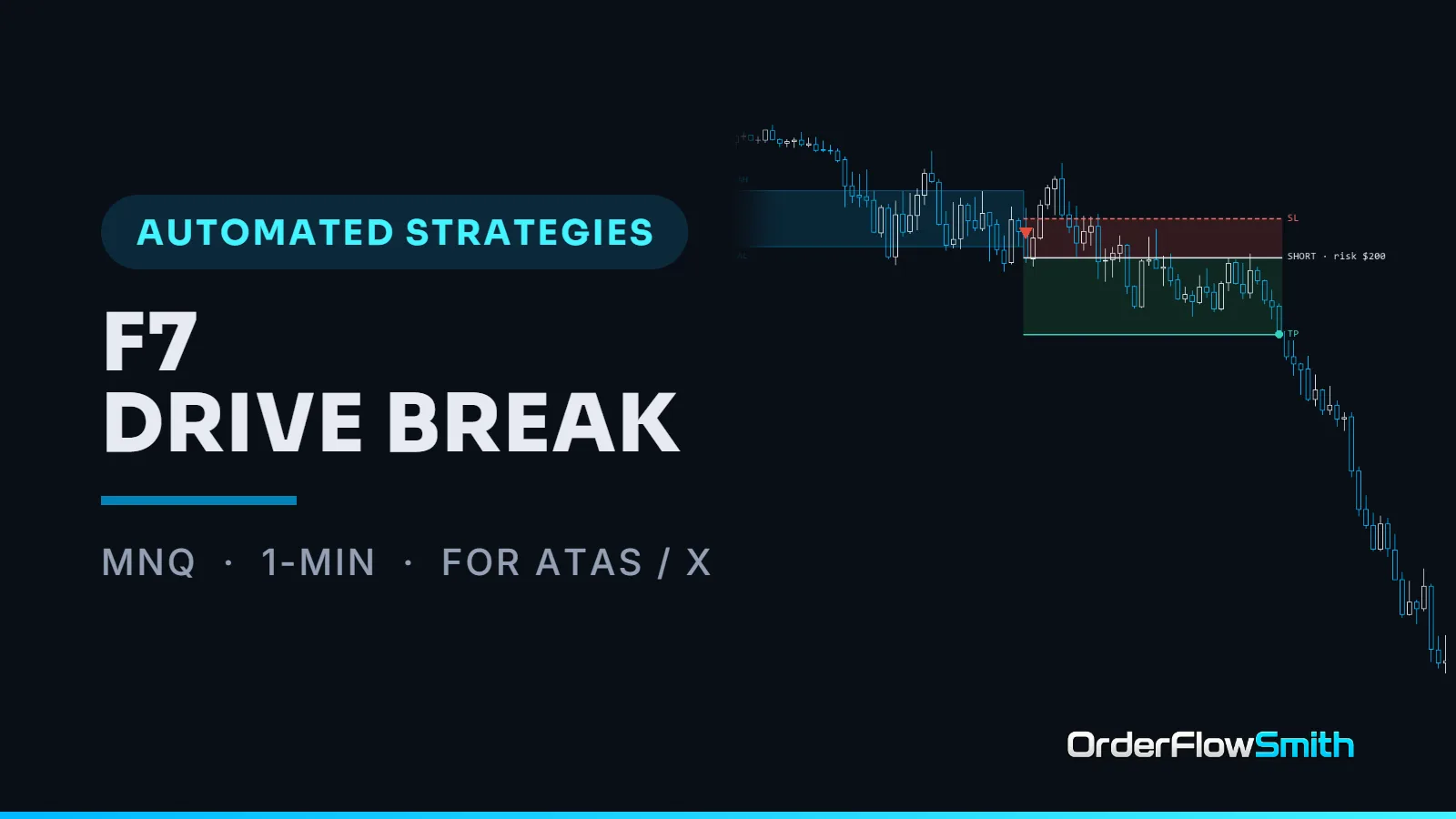
OFS F7 DriveBreak
Fully automated breakout strategy for 1-minute charts: on a gap day that opens out of balance it trades the first breakout of a swing value area, sized from your risk in dollars.
- Trades the first breakout of a swing value area on gap days — entry, stop, partial exit and stop moves are automatic
- Position size from your risk in dollars: the stronger the signal's score, the more it risks
- Built-in backtest lab (TUNE) in dollars — and it runs locally in your ATAS, orders never go through our servers
Version 2.5.5 · ATAS 8.0.14+ and ATAS X 8.0.14+ · Windows, or macOS with ATAS X · Technical details ↓
Almost ready for your charts
OFS F7 DriveBreak is built and measured — it is just not in the shop yet, so there is no price and no Add to cart to look for on this page.
Everything you see here is already true — the rules it follows, the numbers it produced and the warnings that come with them. Have a read now and decide later: the moment it goes on sale, the license options and the free trial appear right here.
Want to hear the day it lands?
Release news only. No trading tips, no spam — unsubscribe in one click.
Description
OFS F7 DriveBreak trades one situation and nothing else: a day that opens with a gap, away from yesterday's value and away from the overnight range, and keeps going. On such a day the market is repricing, not rotating - and the cleanest entries are the breakouts of the small pauses along the way. F7 builds a volume profile for every swing of the session, marks its value area and enters when a 1-minute candle closes beyond that value area in the direction of the day. Only the first breakout of each swing is taken.
WHAT IT DOES FOR YOU
- Decides whether today is a day to trade at all. A day in balance, a day without a gap in the direction of the move or a day that already ended after losing trades is left alone - the panel says so in one word (STANDING ASIDE, QUIET, WAITING, HUNTING, IN TRADE, FLAT, BLOCKED).
- Scores every breakout by 10 conditions read from the chart itself - the open and its first minutes, the gap, yesterday's range, the initial balance, the calm before the breakout, the breakout candle, the swing and its profile, the time of day. The SCORE row on the panel shows them as ten lights.
- Sizes the position from your risk in dollars. You set three amounts - for score 7, score 8 and score 9-10 (100 / 200 / 400 USD by default) - and F7 calculates the contracts from the distance to the stop. A stronger signal risks more; a signal whose stop is too wide for one contract is skipped.
- Places and manages the whole trade: market entry after the breakout candle closes, a stop behind the wick of that candle, a resting limit order that takes a part of the position off at 1R, a tighter stop for the rest once the trade has moved 1R, the stop to the entry when the trade is in profit after the set time, adds to a winning trade with their own stop orders, and the close at the end of the regular New York session.
HOW A TRADE IS MANAGED
One trade at a time. The stop is a fixed price behind the wick of the breakout candle (2 points by default) and covers the position of the first entry. With two or more contracts a part of them leaves at the partial target (1R by default) through a limit order that rests at the broker; the rest stays in the trade. When the price has moved in favour by the size of the stop, the stop of the remaining position is pulled closer; when the trade is still in profit after the set time, the stop goes to the entry price plus one tick. All of these levels are measured from the entry price of the strategy's own (virtual) trade - the first price after the breakout candle - so the stop and the target on the account sit at the prices drawn on the chart; a fill a few ticks away changes the result by those ticks, not the levels. The stop only ever moves towards the price. Whatever is still open is closed at the end of the regular New York session - on a day when the exchange closes early, a few minutes before the halt. After two losing trades F7 stops for the day. If you move the stop or the target by hand, the whole trade is yours from that moment: F7 no longer moves the stop or the target and no longer closes the trade when its own virtual trade exits - it only keeps the order quantities in line with the position and still closes what is left at the end of the session.
ADDS TO A WINNING TRADE
The strategy adds to a trade that is working. When the trade is at least 1R in profit, the price pulls back by 20 points from the best price of the trade and a 1-minute candle closes back in the trade direction, F7 buys more - up to three times in one trade. From version 2.1.0 this happens on the account too: F7 sends a market order for the contracts of the add and, as soon as it fills, places a separate stop order for exactly those contracts, 5 points behind the pullback low (never farther than the stop of the trade). An add has no target. The stop order of the first entry is not changed by an add, so every contract has its own stop and the stops together never cover more than the position. All adds of one trade share a budget equal to the risk of the first entry: what the adds have already lost and what the open adds still risk comes off that budget, so a trade with adds is planned not to lose more than the first entry risked (costs and slippage aside). When a later add is made, the stops of the earlier adds move to their add price plus one tick. On the tape most of the extra profit came from a few strong trend days, while four of five adds ended with a small loss. An add the broker rejects is not retried and the trade continues without it; no add is sent to a trade you took over by hand or that was taken over after a restart. Set ADD OFF in TUNE to trade without adds.
EARLY ENTRIES NEED THE OPENING RANGE BROKEN (ON BY DEFAULT)
From version 2.3.0, early in the New York session F7 takes a breakout only when its candle closes beyond the opening range in the trade direction - above the range high for a long, below the range low for a short. The side that breaks the opening range usually wins the first battle of the day; an early breakout that still closes inside the range is skipped (the panel says: not traded - early entry inside the opening range) and that swing is left alone, as with a low score. Later entries and hook entries are not affected, and the supplied setups S7 / S8 / S9 never switch it on or off (setting Early Entry Confirmation). On the tape it kept the net result and cut the losses: S7 with adds lost 16,847 USD on its losing trades instead of 18,821, its deepest dip was 1,699 USD instead of 1,786 and its longest losing streak 5 trades instead of 8.
OPTIONAL: SKIP BREAKOUTS OF A WEAK EDGE (OFF BY DEFAULT)
From version 2.4.0 F7 can leave alone the breakout of an edge the market never really traded at. With Weak Edge Filter ON, a breakout is skipped when almost no trading happened at the broken edge of the swing value area before the breakout - such an edge was not a real boundary of value, and on the tape its breakouts failed more often. The panel says: not traded - weak edge - little trading there, and that swing is left alone, as with a low score. Hook entries are not affected, and the supplied setups S7 / S8 / S9 never switch it on or off. On the tape it kept the net result and cut the losses: S7 with adds had 114 trades instead of 157 (on 90 sessions instead of 111), 53.5% winners instead of 49.7%, +85,718 USD instead of +84,786, losing trades of -11,326 USD together instead of -16,847, a deepest dip of 1,425 USD instead of 1,699 and a longest losing streak of 3 trades instead of 5.
OPTIONAL: THE HOOK ON BALANCED DAYS (OFF BY DEFAULT)
From version 2.2.0 F7 can also trade the days its breakouts leave alone. On a day that opens inside yesterday's value area of the regular session, the price sometimes pokes beyond its high or low with aggressive orders pushing hard - and the poke fails: a 1-minute candle soon closes back inside. With Hook Entries ON (or the row HOOK in TUNE), F7 enters against such a poke at market with a fixed stop of 40 points and a target of 80 points for the WHOLE position; when the target fills, the stop is cancelled, otherwise the trade closes at the end of the session. No partial exit, no stop moves, no adds. Only the first poke on each side of a day, entries until 15:00 New York, size from its own risk amount (Risk Hook, 200 USD by default). One trade at a time and the daily limit of losing trades count hook trades too, and the supplied setups S7 / S8 / S9 never switch it on or off. On the ticket a hook trade says HOOK instead of the score.
WHAT YOU SEE ON THE CHART
Every trade is drawn as a position: a plan box from the entry candle with a red zone between the entry and the stop and a green zone between the entry and the partial target, the stop with every step it made, and a position ticket with every exact price in the order it happened - the direction with the number of contracts and the score, ENTRY with the time, SL with the distance and the risk in dollars, TP with the contracts closed there and their profit, every stop move with its reason, EXIT with the contracts closed there and their result, and the PROFIT or LOSS of the whole trade after costs. The ticket finds a free place next to its trade, away from the candles. OPEN DRIVE marks the open and its first minutes, yesterday's levels are drawn as lines, the SWING button adds the value area of the swing that was broken, and signals that were not traded can be shown with the reason. The session ribbon under the chart shows where in the day you are.
THE PANEL
The first line states the trading state in one word and one sentence. CHECKS shows every condition of the day as a light - WINDOW, DAY, GAP, SWING, DATA, ACCOUNT - so you can see what is holding F7 back. SCORE shows the ten conditions of the last signal with the risk, the contracts and what one contract costs at that stop. TRADES and TODAY show the results in dollars. The RISK $ boxes change the three risk amounts directly on the panel (click the right half to raise, the left half to lower), and S7 / S8 / S9 switch between the three supplied setups.
THE BUILT-IN BACKTEST (TUNE)
TUNE replays the loaded chart history with the same engine that trades and shows trades, days, win rate, net result in dollars, profit factor and the deepest dip, split by long and short. Every rule is a row you can change, and the grid search (AUTO) tries the combinations you pick and reports the best by net result, win rate and profit factor. With PRINTS on, the history is evaluated from the platform's trade prints second by second - exactly like the live chart; without it the history is a cautious estimate from the candles (when a candle touches both the stop and a profit level, the stop counts first). Opening TUNE never trades.
STATISTICS ON THE HISTORICAL TAPE
Historical tape: MNQ futures, 1-minute chart, from 11 September 2023 to 13 November 2026 - 818 trading sessions in 39 calendar months, every trade print.
How it was measured: the product's own engine with the default settings, risk 100 / 200 / 400 USD by score, results in US dollars after costs of 2 ticks per contract per trade plus 1 tick of slippage on the entry and on every stop.
Statistics of the supplied setups, with adds to a winning trade (ADD 3, budget 100%):
- S7 (the default setup): 157 trades, 49.7% winners, +84,786 USD, profit factor 6.03, deepest dip 1,699 USD, largest winning trade +19,290 USD, largest losing trade -450 USD, 18 months in profit, 18 in loss, 3 without a trade
- S8: 124 trades, 48.4% winners, +82,645 USD, profit factor 6.27, deepest dip 1,698 USD, largest winning trade +19,290 USD, largest losing trade -450 USD, 15 months in profit, 20 in loss, 4 without a trade
- S9: 54 trades, 55.6% winners, +61,636 USD, profit factor 7.76, deepest dip 1,655 USD, largest winning trade +19,290 USD, largest losing trade -450 USD, 14 months in profit, 12 in loss, 13 without a trade
The losing months were small and a few strong months carried the result: for S7 the worst month was -704 USD and the best +18,111 USD.
Without Early Entry Confirmation (the rules of version 2.2.0) S7 had 178 trades, 48.9% winners, +84,194 USD, profit factor 5.47, deepest dip 1,786 USD and losing trades of -18,821 USD together (-16,847 with it).
The same setups with ADD OFF:
- S7: 157 trades, 64.3% winners, +40,263 USD, profit factor 4.17, deepest dip 1,531 USD, worst trade -450 USD
- S8: 124 trades, 65.3% winners, +37,567 USD, profit factor 4.21, deepest dip 1,471 USD
- S9: 54 trades, 72.2% winners, +30,163 USD, profit factor 5.78, deepest dip 1,148 USD
With the optional hook on balanced days (Hook Entries ON, risk 200 USD, adds as above):
- the hook alone: 170 trades, 44% winners, +7,888 USD, profit factor 1.51
- S7 with the hook: 326 trades, +92,627 USD, profit factor 3.88, deepest dip 1,902 USD, 27 months in profit, 12 in loss, none without a trade
- S8 with the hook: 293 trades, +90,486 USD, profit factor 3.92, deepest dip 1,919 USD; S9 with the hook: 223 trades, +69,477 USD, profit factor 3.84, deepest dip 1,588 USD
With the optional Weak Edge Filter ON (adds as above):
- S7: 114 trades, 53.5% winners, +85,718 USD, profit factor 8.57, deepest dip 1,425 USD, losing trades together -11,326 USD, longest losing streak 3, 19 months in profit, 15 in loss, 5 without a trade
- S8: 90 trades, 52.2% winners, +82,842 USD, profit factor 8.82, deepest dip 1,436 USD; S9: 41 trades, 58.5% winners, +61,674 USD, profit factor 10.62, deepest dip 1,457 USD
- S7 with the filter and the hook: 283 trades, +93,559 USD, profit factor 4.51, deepest dip 1,840 USD
S7 traded 8.3 contracts on the first entry on average and 33 at most (with adds it held up to 63 at once); every calendar year of the tape ended in profit. These are the results of the strategy's own virtual trades; an account follows them with its own fills, so its result differs by slippage. Read these numbers for what they are: the rules were found on this same tape, on one instrument, so the comparison is in-sample and says nothing certain about the future. Past results do not guarantee future results.
WHEN IT TRADES
F7 does not trade every day - most days it does nothing. It waits for a gap day that opens out of balance and keeps going: on the tape S7 traded on 111 of the 818 sessions, about one session in seven, S8 on 92 and S9 on 44, and some calendar months passed without a single trade. A day that does trade usually has one trade, sometimes more - after two losing trades F7 stops for the day. Entries are taken only during the regular New York session, from 09:45 to 15:30 New York time by default (Entry From and Entry Until in the settings), early in the session only beyond the opening range; on the tape nine of ten S7 entries came before 13:00 New York time and the busiest hour was 10:00 - 11:00. Whatever is still open is closed at the end of the regular New York session, so with the autopilot on F7 does not hold a position overnight. With the optional hook on, F7 also trades some balanced days - entries until 15:00 New York.
WHAT IT NEEDS
ATAS or ATAS X with a 1-minute time chart with cluster (footprint) data, at least two weeks of loaded history and a connected trading account. No external data feed and no other subscription. F7 runs locally in your platform on your own account - your orders never go through our servers.
Installation guide
2. Open or fully restart ATAS so the automatically delivered indicator becomes available in the indicator catalogue. Whenever an update is released through ATAS, fully restart the platform; ATAS downloads and loads the new version automatically. An update can change how the strategy or the execution behaves with the same settings - the changelog on the product page says when it did; read it before you keep the autopilot ON after an update.
3. If your ATAS account uses a different e-mail address than your OrderFlowSmith account, write to us at orderflowsmith.com/contact - we move the license to your ATAS e-mail and ATAS delivers the indicator automatically.
4. Add OFS F7 DriveBreak to a 1-MINUTE time chart of MNQ with cluster (footprint) data and a connected trading account. Load at least two weeks of history: the strategy needs the previous session, and the drawn backtest needs months to show a meaningful sample. On any other chart type or period the panel says WRONG CHART and F7 does not trade.
5. Open settings, group 01 - License, and paste your key from orderflowsmith.com.
6. Group 05 - Session and Time: pick your Time Zone (New York is the default; the list includes zones with summer time). It only changes how times are shown and entered - the strategy is anchored to the New York session. If the DATA light on the panel is red or the panel says 'check Time Zone', the bar time does not fit the chosen zone.
7. Click TUNE on the panel. While the autopilot is OFF, F7 is fully off and draws nothing; the TUNE window switches the built-in backtest on without trading: every trade the strategy would have taken on the loaded history is drawn with its stop, partial exit and result in dollars, together with the statistics. Switch PRINTS on in TUNE to evaluate the history from the platform's trade prints, exactly like the live chart.
8. Before you switch ON: in the Chart Trader panel (classic ATAS and ATAS X) turn the ATAS SL/TP OFF - the indicator places its own stop and partial target on every fill, and with the platform SL/TP on ATAS would attach a second stop and target to the same fill. Set your risk: the three RISK $ boxes on the panel (or Risk Score 7 / 8 / 9-10 in group 06) are the dollars risked on a trade by its score. F7 calculates the number of contracts itself and has no upper limit - make sure your account and your broker or prop-firm rules allow the position size your risk can produce, and lower the risk if they do not. When you are ready, click ON on the panel. The first time you click ON, F7 shows the License terms and the F7 Automated Trading Addendum on the chart: page through them, save a copy if you wish and click Accept terms. The autopilot stays OFF. When you click ON again, a summary of the account, the instrument and every trading setting appears - click Enable automated trading. Both steps are needed once: from then on a click on ON switches the autopilot on directly, and they are shown again only when the terms change or an update changes the trading rules. OFF switches F7 fully off: nothing is calculated, drawn, logged or sent, no new entries and no management of an open F7 trade - its stop and partial target stay at the broker and F7 only keeps them paired (a filled stop cancels the target, a filled target reduces the stop to the remaining contracts). Hiding the indicator in the platform's indicator list does the same. Switching back ON loads the chart history again and continues the open trade. F7 remembers the state you left it in: after a restart of ATAS an autopilot that was ON on this account and instrument is ON again and OFF stays OFF (setting Remember ON After Restart in group 06, on by default; switch it off if you want the autopilot to start OFF after every restart). A change of a trading setting, a preset or an applied optimisation result is traded without another confirmation while the autopilot is ON; a change made while a trade is open applies only after that trade ends.
9. OPTIONAL - Telegram notifications: in Telegram open @BotFather, send /newbot and paste the token into the Telegram group of the settings; write any message to your new bot, click Get Chat ID Now and then Send Test Message; when it arrives, switch Enable Telegram ON. Signals, real entries, exits, execution errors and connection outages then arrive on your phone (each has its own switch in the same group); Telegram itself is off by default.
Changelog — version 2.5.5
- Every font size setting now starts at 8 - the control panel, its expanded part, the hidden button, the panels and the labels on the chart (until now the chart labels and the control panel 10). The control panel shrinks with the font. Charts saved with an earlier version keep their sizes.
2.5.4 - THE CONTROL PANEL ENDS RIGHT AFTER ITS BUTTONS.
- The control panel is now exactly as wide as its content: the empty strip on the right, after the S9 and PF buttons, is gone at every font size. Until 2.5.3 the panel took the width of the TUNE window, which in F7 is wider than the panel.
- The TUNE window, the buttons and the texts are unchanged. Display only: trading, the trading rules (version 6) and the enabled configuration are unchanged - no new Enable is needed.
2.5.3 - THE CONTROL PANEL FOLLOWS ITS FONT SIZE.
- A change of Control Panel Font Size now lays the whole control panel and the TUNE window out again for the new size: the buttons, the rows, the gaps and the margins grow and shrink with the text. A smaller font gives a smaller panel, and a larger font no longer squeezes the text in the buttons. Until 2.5.2 the panel kept its old width after a smaller font, and the gaps and the buttons kept the same size at every font.
- With the default font size 10 the panel looks exactly as before. Display only: trading, the trading rules (version 6) and the enabled configuration are unchanged - no new Enable is needed.
2.5.2 - FIX: A LIVE SIGNAL OR ADD RIGHT AFTER THE CHART LOADS GOES TO THE ACCOUNT.
- After the chart was loaded or calculated again (the platform reloading the chart or a changed setting), F7 counted the first one or two live candles as replayed history: a breakout or an add on them was drawn on the chart, but nothing was sent to the account, and the panel then showed FLAT until that trade ended. Now every candle that closes after the chart loads trades as usual; a trade from the replayed history is still never entered late.
- Trading, the trading rules (version 6) and the enabled configuration are unchanged - after the update F7 continues as it was, no new Enable is needed.
2.5.1 - FLAT, AN ACCOUNT DONE FOR THE DAY, THE HIDDEN PANEL'S ON BOX ONLY SHOWS THE STATE, ON / OFF IN COLOR.
- When the account is already out of a trade that still runs on the chart (closed early, its stop or target filled, or the entry refused by the broker), the panel and the tag next to the hidden panel's ON box say FLAT instead of IN TRADE; the next entry comes after the chart trade ends.
- When the broker refuses an entry because the account is done for the day (for example the daily loss limit of a prop-firm account), F7 sends no further entries on that account until the CME open and CHECKS shows ACCOUNT red. Before, the entry was sent again on every candle.
- With the panel hidden, the ON box next to the button only shows the state (ON, OFF or TUNE) - a click on it opens the panel. The autopilot is switched only with the ON / OFF button; before, a click on the box switched the autopilot off.
- The autopilot button shows its state in color, as in every OFS control panel - ON green, OFF red - and TUNE (with BACK in the TUNE window) has a subtle violet tint; the ON box of the hidden panel uses the same colors (TUNE violet, before red).
- Texts checked against the program: the sessions with a trade (S7 traded on 111 of 818), the Telegram steps (switch Enable Telegram ON), the panel buttons in titled groups. Every published number was measured again on the tape and is unchanged.
- Trading, the trading rules (version 6) and the enabled configuration are unchanged - after the update F7 continues as it was, no new Enable is needed.
2.5.0 - THE HIDDEN PANEL SHOWS WHICH SETUP IS ON.
- With the panel hidden, a new box after the state tag shows the setup whose button is lit on the panel: S7, S8 or S9 (the supplied setups), TUNE NET, TUNE WR or TUNE PF (the setups saved from the auto backtest), or a grey CUSTOM when the settings match none of the six. It uses the same captions as the buttons, appears together with the state tag while F7 is ON and is information only, not a button.
- Display only: trading, the trading rules and the enabled configuration are unchanged - after the update F7 continues as it was, no new Enable is needed.
2.4.0 - NEW OPTIONAL FILTER: SKIP BREAKOUTS OF A WEAK EDGE (OFF BY DEFAULT).
- NEW TRADING RULES VERSION 6: after the update new entries stay OFF until you review the change summary on the chart and click Enable automated trading once. With the default settings F7 trades exactly as in 2.3.0 - the filter is off.
- New setting Weak Edge Filter (group 07, OFF by default): when it is ON, a breakout is not traded when almost no trading happened at the broken edge of the swing value area before the breakout; the panel says why (not traded - weak edge - little trading there) and that swing is left alone, as with a low score. Hook entries are not affected; the S7 / S8 / S9 setups do not switch it on or off.
- Measured on the MNQ tape 11 September 2023 to 13 November 2026 (818 sessions) (in-sample, after costs), S7 with adds and the filter ON: 114 trades instead of 157, 53.5% winners (49.7%), +85,718 USD (+84,786), losing trades together -11,326 USD (-16,847), profit factor 8.57 (6.03), deepest dip 1,425 USD (1,699), longest losing streak 3 (5). S8: 90 trades, +82,842 USD, deepest dip 1,436 USD (1,698); S9: 41 trades, +61,674 USD, deepest dip 1,457 USD (1,655).
2.3.0 - EARLY ENTRIES NEED THE OPENING RANGE BROKEN (ON BY DEFAULT).
- NEW TRADING RULES VERSION 5: after the update new entries stay OFF until you review the change summary on the chart and click Enable automated trading once.
- New setting Early Entry Confirmation (group 07, ON by default): early in the New York session a breakout is traded only when its candle closes beyond the opening range in the trade direction; an early breakout still inside the range is skipped and the panel says why (not traded - early entry inside the opening range). Later entries and hook entries are not affected; OFF trades exactly as 2.2.0. The S7 / S8 / S9 setups do not switch it on or off.
- Measured on the MNQ tape 11 September 2023 to 13 November 2026 (818 sessions) (in-sample, after costs), S7 with adds: 157 trades instead of 178, 49.7% winners (48.9%), +84,786 USD (+84,194), losing trades together -16,847 USD (-18,821), deepest dip 1,699 USD (1,786), longest losing streak 5 (8). S8: deepest dip 1,698 USD (2,237); S9: +61,636 USD (+60,215).
- The settings text Recommended Chart no longer says that adds are traded only in the model - they reach the account since 2.1.0.
2.2.0 - NEW OPTIONAL ENTRY: THE HOOK ON BALANCED DAYS (OFF BY DEFAULT).
- NEW TRADING RULES VERSION 4: after the update new entries stay OFF until you review the change summary on the chart and click Enable automated trading once. With the default settings F7 trades exactly as in 2.1.0 - the hook is off.
- Hook Entries (group 07, row HOOK in TUNE) and Risk Hook ($) (group 06, row RISK $ HOOK, 200 USD by default): on a day that opens inside yesterday's value area of the regular session, a poke beyond its high or low with aggressive orders pushing hard that fails and closes back inside is traded against the poke at market, with a fixed stop of 40 points and a target of 80 points for the WHOLE position. A filled target cancels the stop and a filled stop cancels the target; no partial exit, no stop moves, no adds; otherwise the trade closes at the end of the session. Only the first poke on each side of a day, entries until 15:00 New York. One trade at a time and the daily limit of losing trades count hook trades too; S7 / S8 / S9 never switch the hook on or off.
- The chart, the ticket (HOOK instead of SCORE), the SCORE row, the alerts and Telegram show hook trades; the trade memory knows a hook trade, so after a restart of ATAS its target still covers the whole position.
- Measured on the MNQ tape 11 September 2023 to 13 November 2026 (818 sessions) (in-sample, after costs): the hook alone 170 trades, +7,888 USD, profit factor 1.51; S7 with the hook 347 trades, +92,035 USD, profit factor 3.69, deepest dip 2,020 USD (S7 alone 178 trades, +84,194 USD, 1,786 USD).
2.1.0 - ADDS ARE SENT TO THE ACCOUNT, THE ACCOUNT FOLLOWS THE CHART MORE CLOSELY, ON IS REMEMBERED, AND THE CHART NO LONGER STUTTERS.
- NEW TRADING RULES VERSION 3 and a new version of the F7 Automated Trading Addendum: after the update accept the terms once more and click Enable automated trading once in the change summary. After that ON is ON.
- Adds to a winning trade are now sent to the account: a market order for the contracts of the add and, right after the fill, a separate stop order for exactly those contracts. The stop order of the first entry is not changed. An add the broker rejects is not retried; no add is sent to a trade you took over by hand or that was taken over after a restart. Version 2.0.0 opened no trade on the account while ADD was on - that block is gone.
- The account follows the strategy's own (virtual) trade more closely. The stop rules (after 1R, after the set time in profit), the partial target and the stops of the adds are measured from the entry price of the virtual trade - the first price after the breakout candle - not from the fill price of the account, so they sit at the prices drawn on the chart. When one candle breaks two swings, the account takes the same signal and number of contracts as the virtual trade. A trade F7 opened is no longer closed as a different trade because the fill slipped by more than 3 points. After the partial target fills, F7 keeps control of the stop (the later stop move is placed on the account as a resting stop order).
- ON is remembered. The Enable automated trading summary is shown once and after an update that changes the trading rules - no longer after every change of settings, preset or account. After a restart of ATAS an autopilot that was ON on the same account and instrument is ON again (new setting Remember ON After Restart, on by default). Closing TUNE switches the autopilot back on if it was ON before.
- The chart no longer stutters: a change in TUNE recalculates the history about 7 times faster, the trade prints of closed days (PRINTS) are loaded from the platform once and then read from a cache on this computer, and the auto backtest runs at a lower priority so the platform stays responsive.
- RISK $ on the panel steps by 50 USD (by 10 below 100, by 100 above 2,000).
- The panel names the added contracts in the position (for example SHORT 14 (11 added)) and keeps showing the part taken at 1R; RUN pressed right after waking F7 from OFF no longer shows a false self-check MISMATCH in TUNE.
- Fewer false alarms in the log and Telegram when the broker reports events in an unusual order; the result of the day counts a stop fill also when the broker reports the flat account first; a stop move the broker rejects is tried three times and no longer repeated forever.
- Measured on the MNQ tape 11 September 2023 to 13 November 2026 (818 sessions) (in-sample, after costs), unchanged: S7 with adds 178 trades, +84,194 USD, profit factor 5.47, deepest dip 1,786 USD; with ADD OFF +40,779 USD, profit factor 3.87, deepest dip 1,294 USD.
2.0.0 - ADDS TO A WINNING TRADE IN THE MODEL, A CLOSER DEFAULT STOP, AND A HAND-MOVED ORDER HANDS THE TRADE TO YOU.
- NEW TRADING RULES VERSION 2: after the update new entries stay OFF until you review the change summary on the chart and enable the configuration again.
- Adds to a winning trade (rows ADD and ADD RISK in TUNE, four settings in group 07): when the trade is at least 1R in profit, the price pulls back by 20 points and a 1-minute candle closes back in the trade direction, the model buys more - up to 3 times. Each add has its own stop 5 points behind the pullback low; all adds of one trade together may lose at most the risk of the first entry. The chart draws every add with a marker, its stop line and a line in the position ticket with the contracts and the money.
- IMPORTANT: adds are calculated in the model (statistics, TUNE, chart) but are NOT yet sent to the account in this version. While ADD is on, F7 opens no new trade on the account and the panel says so - set ADD OFF to trade live. Sending adds to the account comes in a later version.
- The supplied setups S7 / S8 / S9 now use a stop 2 points behind the wick (was 5) and ADD 3 with a 100% budget. The first rules can still be set: STOP 20 and ADD OFF.
- Moving the stop or the target by hand now hands the WHOLE trade to you: F7 no longer moves the stop or the target and no longer closes the trade when its virtual trade exits. It keeps the order quantities in line with the position and still closes what is left at the end of the New York session.
- Measured on the MNQ tape 11 September 2023 to 13 November 2026 (818 sessions) (in-sample, after costs): S7 with ADD OFF 178 trades, +40,779 USD, profit factor 3.87, deepest dip 1,294 USD; with adds in the model +84,194 USD, profit factor 5.47, deepest dip 1,786 USD.
- Your chart keeps its saved settings: click S7 (or DEFAULT) in TUNE once to load the new setup.
1.0.3 - THE TIMES IN THE TICKET MATCH THE TIME AXIS OF THE CHART.
- The chart draws its whole history with today's time offset. The position ticket now does the same, so the ENTRY and EXIT times match the time axis also on days from the other half of the year (summer / winter time). Before, such days were one hour off.
- Trading is unchanged: entries, stops, targets, the setups and the trading rules (version 1) - no new Enable is needed after the update.
1.0.2 - THE POSITION TICKET SAYS HOW MANY CONTRACTS AND HOW MUCH MONEY.
- The ticket now names the quantity (for example SHORT 30 contracts) and shows the money of every part of the trade: the contracts closed at the partial target with their profit, the contracts closed at the exit (closed at the session end, or stopped) with their result, and a last line PROFIT or LOSS of the whole trade after costs. The parts add up to the result, so it is visible why a trade ends in profit although its last contracts were stopped.
- The SL line shows the risk in dollars; the label at the exit says profit or loss.
- The OPEN DRIVE label moves to the other side of its box, or further away from it, when candles would cross it.
- The ticket stays right beside its trade whenever that place is free.
- Trading is unchanged: entries, stops, targets, the setups and the trading rules (version 1) - no new Enable is needed after the update.
1.0.1 - THE TRADE IS DRAWN AS A POSITION, AND THE TUNE WINDOW CAN BE HIDDEN.
- Every trade is now drawn like a position tool: a plan box from the entry candle with a red zone between the entry and the stop (SL), a green zone between the entry and the partial target (TP), and the ENTRY, SL and TP lines. Before, the zones were drawn only while they applied, so a trade that moved its stop within a minute left a strip one candle wide.
- A position ticket next to each trade lists every price the autopilot worked with, in the order it happened: direction, contracts and score; ENTRY with the time; SL with the distance and the planned loss in dollars; TP with the distance and the number of contracts (filled or not reached); every stop move with its reason; EXIT with the time and the result in dollars. An open trade held by the account shows the real prices from the account and the word LIVE.
- The ticket looks for a free place by itself - away from the candles, other labels and the panel; when it is not right beside its trade, a dotted line leads to it. Trade labels no longer lie on top of each other. When so many trades are visible that the tickets would cover the chart, each ticket shrinks to one line.
- After a stop move the stop continues as a dashed line stepping toward the entry, with its new price at the line and the remaining risk lightly shaded.
- New HIDE button in the header of the TUNE window: it folds the window into the small F7 DriveBreak button so that the trade history on the chart can be seen; a click on that button brings the window back. The history stays drawn while the window is hidden.
- The ticket shows the time of the entry and of the exit.
- Trading is unchanged: entries, stops, targets, the setups and the trading rules (version 1) - no new Enable is needed after the update.
1.0.0 - FIRST RELEASE.
- Fully automated breakout strategy for the 1-minute MNQ chart: on a gap day that opens out of balance it trades the first breakout of a swing value area in the direction of the day.
- Score of 10 conditions for every breakout; the score decides whether the signal is traded and how much it risks.
- Position size from the risk in dollars (100 / 200 / 400 USD by score by default): contracts = risk divided by the planned stop, rounded down.
- Trade management: stop behind the wick of the breakout candle, partial exit with a resting limit at 1R, tighter stop after 1R, stop to the entry when in profit after the set time, close at the end of the regular New York session (earlier on days when the exchange closes early).
- One trade at a time; the day ends after two losing trades; optional Daily Profit Limit.
- Three supplied setups S7 / S8 / S9 and a built-in backtest in dollars (TUNE) with a grid search and a self-check; PRINTS evaluates the history from the platform's trade prints.
- Panel with the trading state in one word, CHECKS lights for the conditions of the day, the SCORE row and RISK $ boxes.
- Execution core taken from OFS F2 FiboFade 2.15.1: order registry, leg ownership, durable trade memory, LIVE = VIRTUAL reconciliation, Autopilot OFF = fully off, connection and data guards, Telegram, accepted terms and enabled configuration.
- Measured on the MNQ tape 11 September 2023 to 13 November 2026 (818 sessions): S7 173 trades, +35,661 USD, profit factor 3.61, deepest dip 1,612 USD (in-sample, after costs).
Technical details
| Current version | 2.5.5 · 2026-11-22 |
| Compatibility | ATAS 8.0.14+ and ATAS X 8.0.14+ |
| Requirements | Windows 10/11 with classic ATAS or ATAS X, or macOS Tahoe and newer on Apple Silicon with ATAS X (the platform brings its own .NET 10 runtime), a 1-minute time chart with cluster (footprint) |
| Updates | All future updates included |
| Delivery | ATAS catalog (automatic) |
Frequently asked questions
Which chart should I use?
Can I use it on other instruments than MNQ?
What exactly does it trade?
What are the ten letters in the SCORE row?
How many contracts will it trade?
How does it manage a running trade?
Does F7 place real orders?
What does Autopilot OFF do?
Why does F7 ask me to accept terms and to enable the configuration?
I changed a setting while a trade was open - what happens?
Which supplied setup should I start with?
Why do I sometimes see no trades for days?
Can I see what the strategy would have done before switching it on?
How do I use the auto backtest?
Is there a daily stop?
Does it repaint?
How trustworthy are the published numbers?
What happens after a restart or an update?
What happens when my licence expires or is revoked?
Does it need GEXBot or any other subscription?
What are the ADD and ADD RISK rows in TUNE?
What are the HOOK and RISK $ HOOK rows in TUNE?
What does Early Entry Confirmation do?
What does Weak Edge Filter do?
Reviews
No reviews yet — be the first verified buyer to share your experience.